
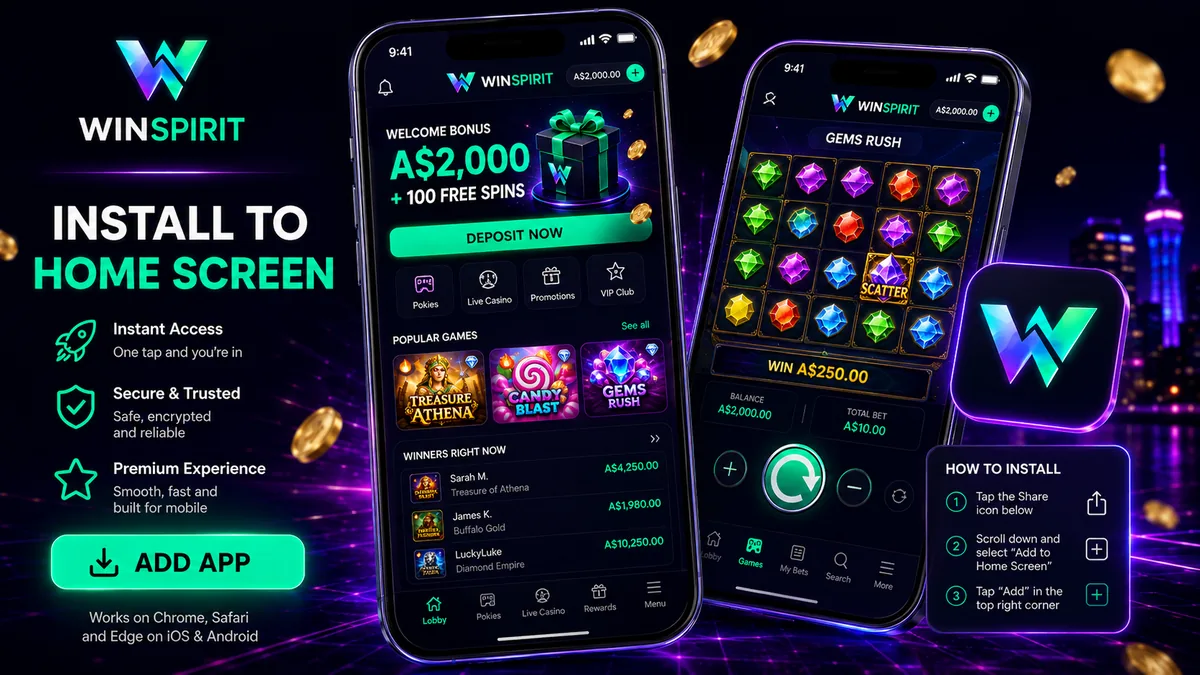
No WinSpirit app sits in the Google Play Store, and none in the App Store either. What the operator runs instead is a progressive web app: you open the casino in your browser, add it to your home screen, and from that point it launches full screen with its own icon and no address bar. It looks and behaves like an installed app because, functionally, it is one.
That is normal for this corner of the market, and it is not a sign that something is wrong with the operator. Every offshore casino serving Australian punters reaches phones the same way.
Why WinSpirit is not in the Google Play Store
Google Play allows real-money gambling apps only in countries where it runs an approval programme, and only from operators holding a licence issued by that country’s own regulator. Australia has such a programme for licensed wagering, which is why you can install Sportsbet or Ladbrokes from Play without any fuss.
Online casino games are a different matter. Under the Interactive Gambling Act 2001, offering online pokies and live table games to Australians is prohibited, so no operator can hold an Australian casino licence for them. WinSpirit is licensed by the Curaçao Gaming Authority under OGL/2024/923/0383, issued to Complete Technologies N.V. That licence is genuine, though it protects a player less than an MGA or UKGC one would, and it gives Google nothing to approve against.
Worth knowing where the law lands. The IGA places its obligations on operators, so an Australian who installs the web app and plays commits no offence.
Installing the WinSpirit app on Android
Four taps, and Chrome does most of the work.
- Open the casino in Chrome. Samsung Internet and Firefox can also do this, but they hide the option in different places, so Chrome is the least fiddly starting point.
- Tap the three-dot menu in the top right corner.
- Choose Add to Home screen. On newer Chrome builds the same item reads Install app.
- Confirm the name and tap Install. The icon lands on your home screen next to everything else.
Launch it from that icon and the browser interface disappears. Nothing lands on the device beyond the cached site, so it installs in about a second and eats no real storage.
Installing on iPhone and iPad
iOS handles this through Safari’s share sheet.
- Load the casino in Safari. Other iOS browsers gained home-screen installs only recently and still behave inconsistently, so use Safari.
- Tap the Share icon, the square with the upward arrow at the bottom of the screen.
- Scroll the share sheet down and tap Add to Home Screen.
- Edit the name if you want something less obvious sitting on your screen, then tap Add.
Once it is there, you can sign in to your WinSpirit account from the icon and stay logged in between sessions, the same as any native app.
What you get on each platform
| Platform | How you install it | What works | What you do not get |
|---|---|---|---|
| Android | Chrome menu → Add to Home screen | Full lobby, live casino, sportsbook, cashier, KYC uploads, live chat | No Play Store listing, no store-managed updates |
| iPhone / iPad | Safari → Share → Add to Home Screen | Same lobby and cashier as Android; plays in portrait or landscape | No App Store listing, push notifications limited on older iOS versions |
| Windows / macOS | Install icon in the Chrome or Edge address bar | Everything, with room for live tables and multi-column sportsbook | Nothing meaningful over the browser version |
| Google Play / App Store | Not listed | — | The whole thing. See the section below before you go looking |
The “WinSpirit APK” problem
Search for a WinSpirit APK and you will find several builds sitting on download aggregators. None come from the operator’s own domain. We checked how those files identify themselves, and the package names give the game away: com.luckywin.cheat39luck34, com.megawin.mine40flip10s and others in the same vein. No operator ships a production app under a package name containing the word “cheat”. These are third-party wrappers.
Installing one means granting an unsigned package whatever permissions it asks for, on the same device where you then type a casino password and card details. A repackaged wrapper sits between you and the site and can read every field you fill in. Updates come from whoever uploaded it, and there is no signature to check the build against.
We found no official APK published by WinSpirit anywhere on its own site. If the operator ever ships one it will appear on the brand’s own domain, and until then the home-screen install above is the only version we would put on a phone.
What the mobile version actually does
The web app is the full site, not a cut-down menu. The pokies library on mobile carries the same thousands of titles as desktop, with Pragmatic Play, BGaming, Betsoft and Yggdrasil doing most of the heavy lifting, plus crash games such as Aviator and Plinko.
Live casino streams work over mobile data, running tables from Evolution, Pragmatic Live, LuckyStreak, Winfinity and TVBet, and the operator’s live section carries 5% cashback. The sportsbook covers 40+ sports including football, tennis and esports such as CS2 and Dota 2. Two honest caveats there: horse and greyhound racing are missing entirely, which is a real gap for an Australian book, and in-play betting online is illegal in Australia regardless of which site offers it.
The cashier is where the phone earns its keep. You can top up with PayID from your banking app and see the funds land in 15 to 60 seconds over the NPP rails, with limits set by your own bank. POLi shut down in Australia in September 2023, so any site still advertising it on a mobile deposit page has not been updated in three years. Verification documents upload straight from the phone camera. If you have not signed up yet, you can create your account from the phone in the same web app.
One bonus claim needs a flag. The Canadian version of the site gives 20 no-deposit free spins for installing the web app, and we could not confirm the same offer runs on Australian accounts. Check the promotions tab once you are in.
Those step counts describe the walkthroughs on this page. They are our own measure, and no operator claim about install speed or app size is involved.
Add WinSpirit to your home screen
FAQ
Does WinSpirit have a mobile app?
Yes, in the sense that matters: a progressive web app you add to your home screen from Chrome or Safari. Neither store carries a native build, and the installed version opens the whole site in a full-screen window, lobby and live tables and sportsbook and cashier included.
Is there a WinSpirit APK for Android?
Not an official one. The APKs circulating on download aggregators carry package names like com.luckywin.cheat39luck34 with no connection to the brand, which means somebody else built and signed them. Use the Chrome home-screen install instead.
Can I install WinSpirit on an iPhone?
Yes. Open the site in Safari, tap Share, then Add to Home Screen. iOS treats the result as an app icon and launches it without the browser interface. No jailbreak or sideloading is involved.
Is the WinSpirit app safe?
The web app carries the same risk as the site itself, because it is the site: nothing extra is installed and no device permissions are granted. The real hazard is the third-party APKs, which run unsigned code on your phone while you type in a password. Questions about the operator’s licensing and complaint history are covered on the WinSpirit Casino Australia hub.
Why isn’t WinSpirit on Google Play?
Google Play only lists real-money gambling apps from operators licensed in the country where the app is distributed, and Australia issues no licences for online casino games under the IGA 2001. An offshore Curaçao-licensed casino therefore has no route into the store. What the empty store listing tells you is how Australian law works. It tells you nothing about how the casino pays.
18+ only. An icon on your home screen puts the casino one tap away, which is worth a thought before you install it. Gambling Help Online is free to ring, any hour of the day or night, on 1800 858 858.